Oftenflow or Buy Again?
Buy Again & Reorder Reminders makes reordering easy on your store: a reorder pop-up, a page of past orders and one-click reorder, plus reminders. Oftenflow works before the visit: it decides who to remind, when and with which offer.
In development · sources checked on 18 October 2026

When to pick which.
+Usually you’d use both.
Choose Buy Again if
- You mainly want a reorder page and one-click reorder in customer accounts.
- A low monthly price matters more than per-customer timing.
Choose Oftenflow if
- You want timing per customer from their own order history on every plan.
- You want discount decisions and drafts, not only reminders.
- You want proposals you approve every morning.
Better together.
Buy Again makes the reorder itself fast once a customer is on your store. Oftenflow makes sure the right customers get a reason to come back at the right moment. The two don’t get in each other’s way.
Shopify orders
Every order and customer, read once a night.
Oftenflow decides
Per customer, with a reason you can read.
- Who
- When
- Why
- Discount or not
You approve
Approve, edit or skip each proposal.
Your email tool sends
Klaviyo, Brevo, Shopify Messaging, Amazon SES or Postmark.
Customer reorders
On your store, at their own moment.
Buy Again is here.
Buy Again works here, on your store: one-click reorder once the customer is back.
Oftenflow keeps them in the loop
Oftenflow and Buy Again, row by row.
Highlighted rows are where the two work differently.
| Topic | Buy Again | Oftenflow |
|---|---|---|
| What it is | Shopify app for one-click reorder: reorder pop-up, past orders page, buy-again slider and reminders | AI agent that proposes who to contact, why now, and drafts the message |
| How email is sent | Reorder emails on the Growth plan, and integrations with Klaviyo, Mailchimp and Omnisend | Through what you already use: Klaviyo, Brevo, Shopify Messaging or your own sending account (Amazon SES, Postmark). You stay the sender |
| Pricing | $8, $25 or $75 a month; reminders capped at 2,000 (Growth) or 10,000 (Enterprise) | Planned: plans by monthly orders, from €29, AI credits included. Never per contact |
| Store platforms | Shopify, including Shopify POS | In development. Shopify first, then Shopware and Lightspeed |
| Reorder timingKey difference | Customer-defined or usage-based; AI-based timing on the Enterprise plan | An expected reorder date per customer, from their own order history, and a daily list of who is late |
| DiscountsKey difference | A reorder discount you set | Checks each customer’s history and leaves the coupon out where it isn’t needed |
| Data export | Not described publicly | Everything as CSV or JSON, any time |
| Use them together | Yes: Buy Again for the reorder experience on your store, Oftenflow for who to contact and when | |
Checked on 18 October 2026Something out of date? Email hello@oftenflow.com and we’ll fix it.Sources: apps.shopify.com/buy-again
Each difference, explained
Reorder timingKey difference
DiscountsKey difference
What it is
How email is sent
Pricing
Store platforms
Data export
Decisions Buy Again leaves to you.
- Buying rhythm
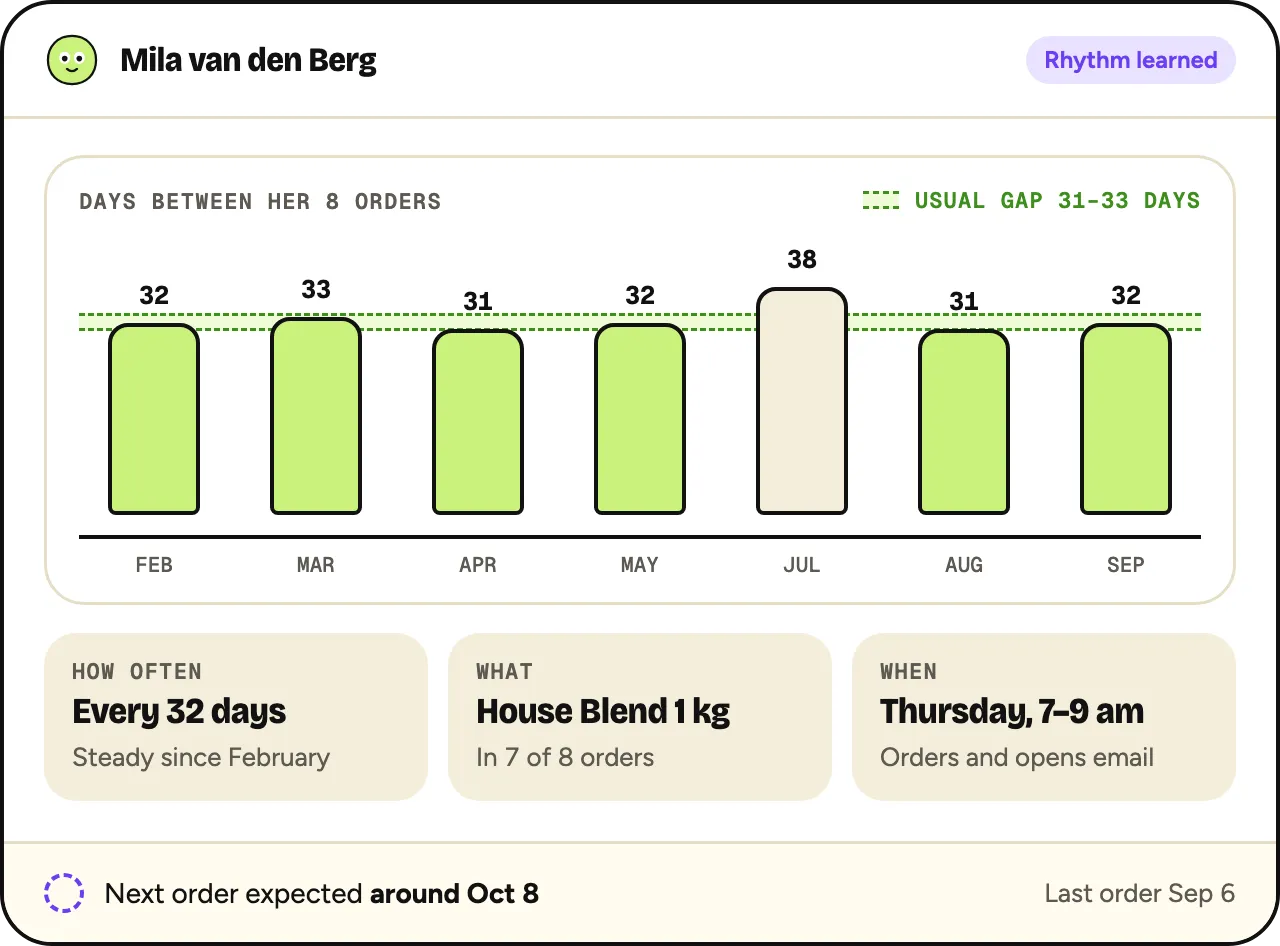
A rhythm per customer
Oftenflow learns each customer’s usual gap between orders and sees who is due or late.
How it works: Buying rhythm → - Smart discounts
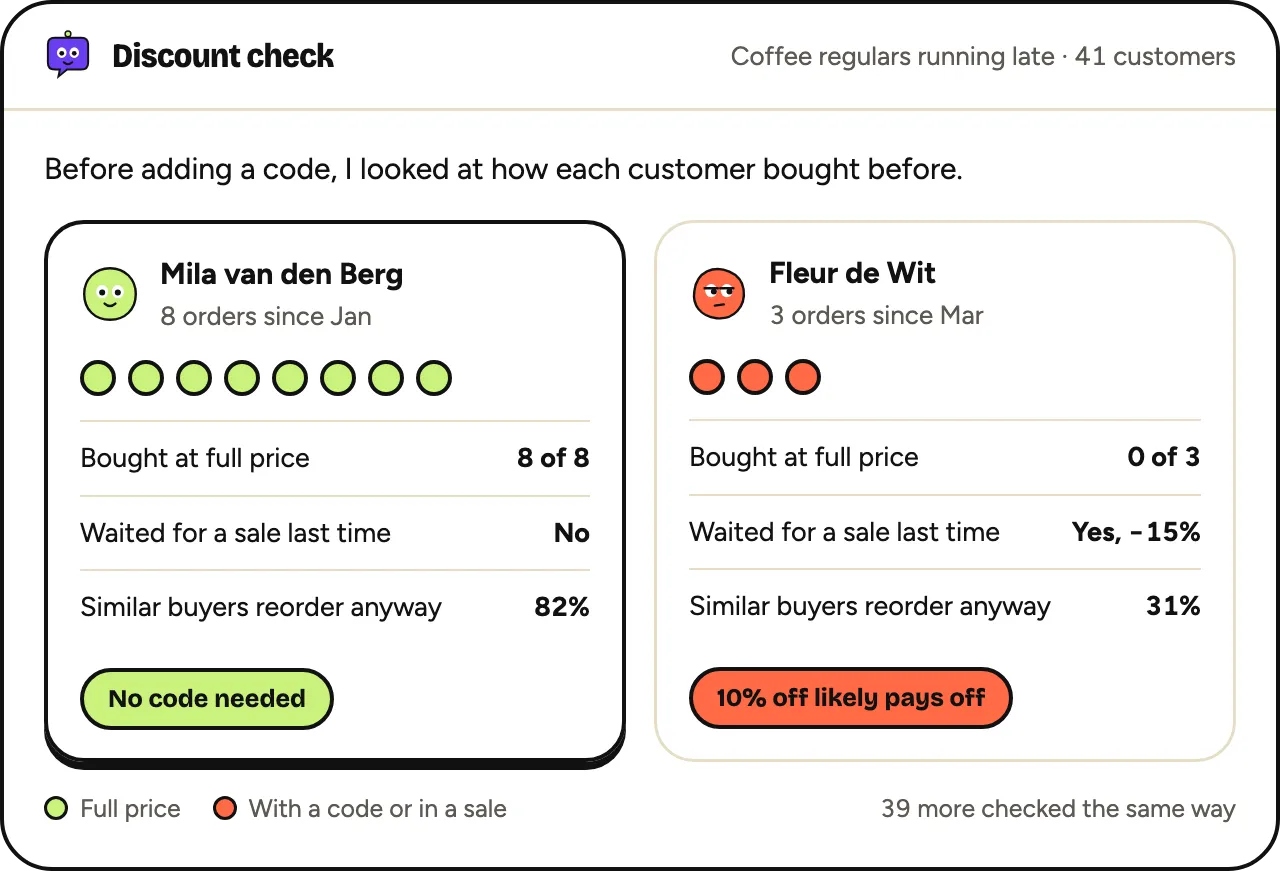
No coupon where it isn’t needed
Before adding a code, it checks how each customer bought before.
How it works: Smart discounts → - Morning list
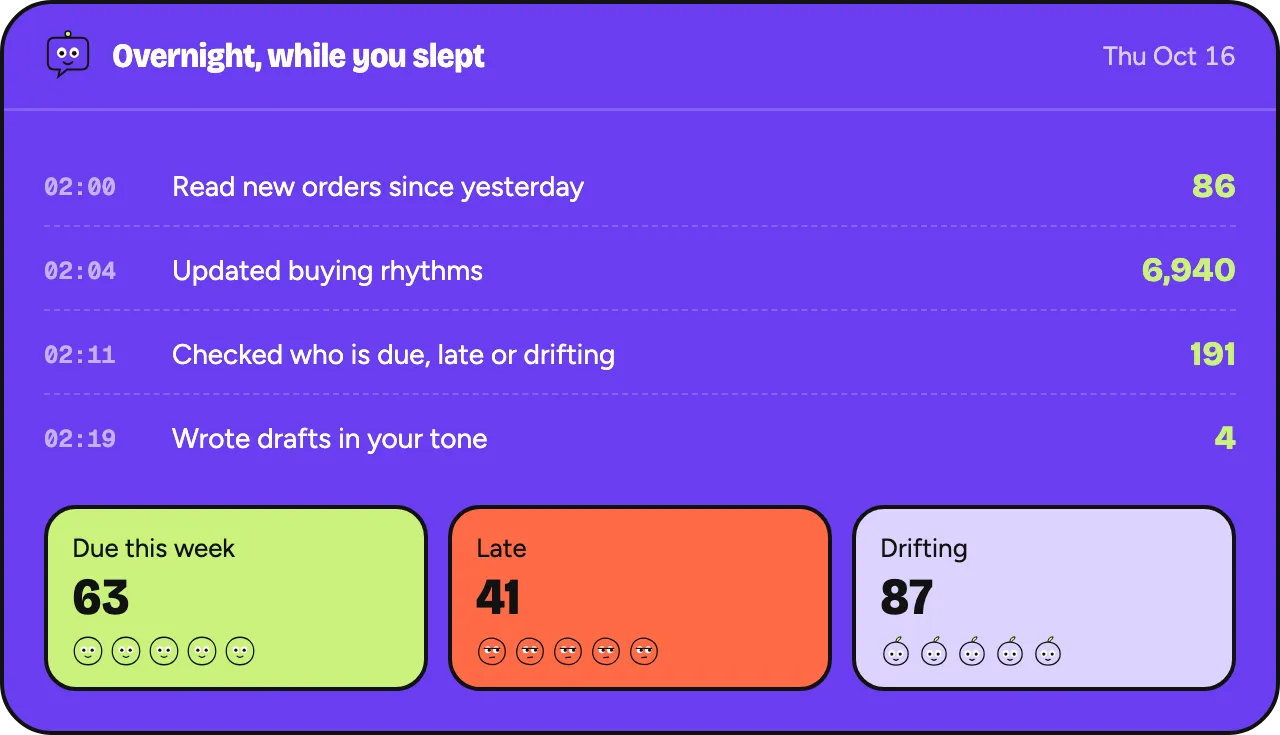
A short list every morning
Who is due, late or drifting, grouped, with a reason and a draft per group.
How it works: Morning list →
Questions
Do I need both?
Not necessarily. If one-click reorder is your main gap, Buy Again covers it. If knowing who to contact and when is the gap, that’s what Oftenflow is for.
How was this comparison made?
From Buy Again’s Shopify App Store listing, checked on 18 October 2026. Oftenflow itself is still in development.
Other comparisons
All comparisons →Oftenflow vs Klaviyo
Keep Klaviyo for sending. Oftenflow decides who gets what, and when.
Pick oneOftenflow vs Reloadify
All-in-one Dutch platform versus an agent on top of the email tool you keep.
Pick oneOftenflow vs Omnisend
A fixed-delay reminder versus timing from each customer’s own rhythm.
Also compared
For stores like yours
Oftenflow is an experiment in development. What this page describes can still change; no rights can be derived from it.
Get an invite when we open the doors.
Planned: 30% off for the first 100 stores. One email when your invite is ready, no newsletter.
- Plans from €29 a month, never per contact
- Works with the email tool you already use
- No card, no commitment