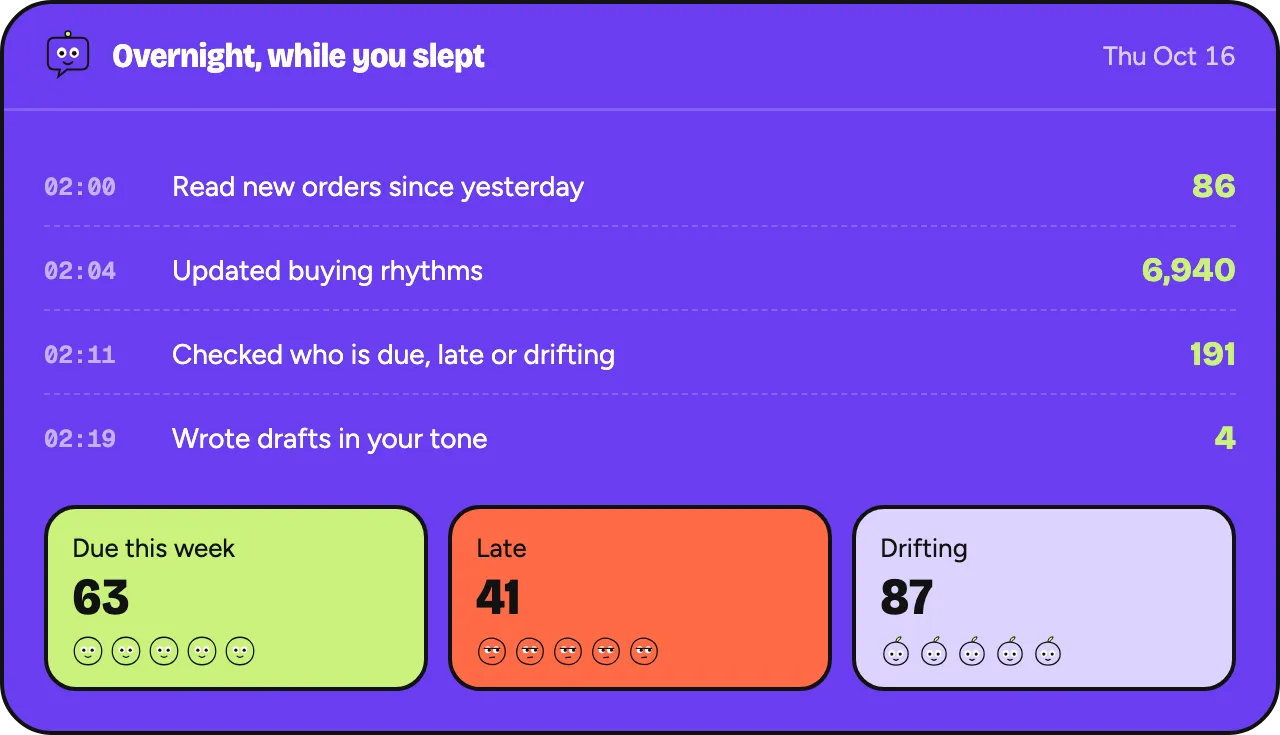
The same five products recommended to everyone.
Planned module
The right next product.
Filters for the customer with a new grinder, the refill for the starter kit, the size that’s back in stock. Oftenflow picks one product per customer that fits what they already have, and adds it to the message.
Planned: 30% off for the first 100 stores. One email when your invite is ready, no newsletter.
- Works with the email tool you have
- Never priced per contact
- You approve every message

“You might also like” usually means “our bestseller”.
Suggestions for things the customer already owns.
Recommendation blocks that need their own tool and their own budget.
Inside the app
What you’ll see, step by step
- Step 1 / 3
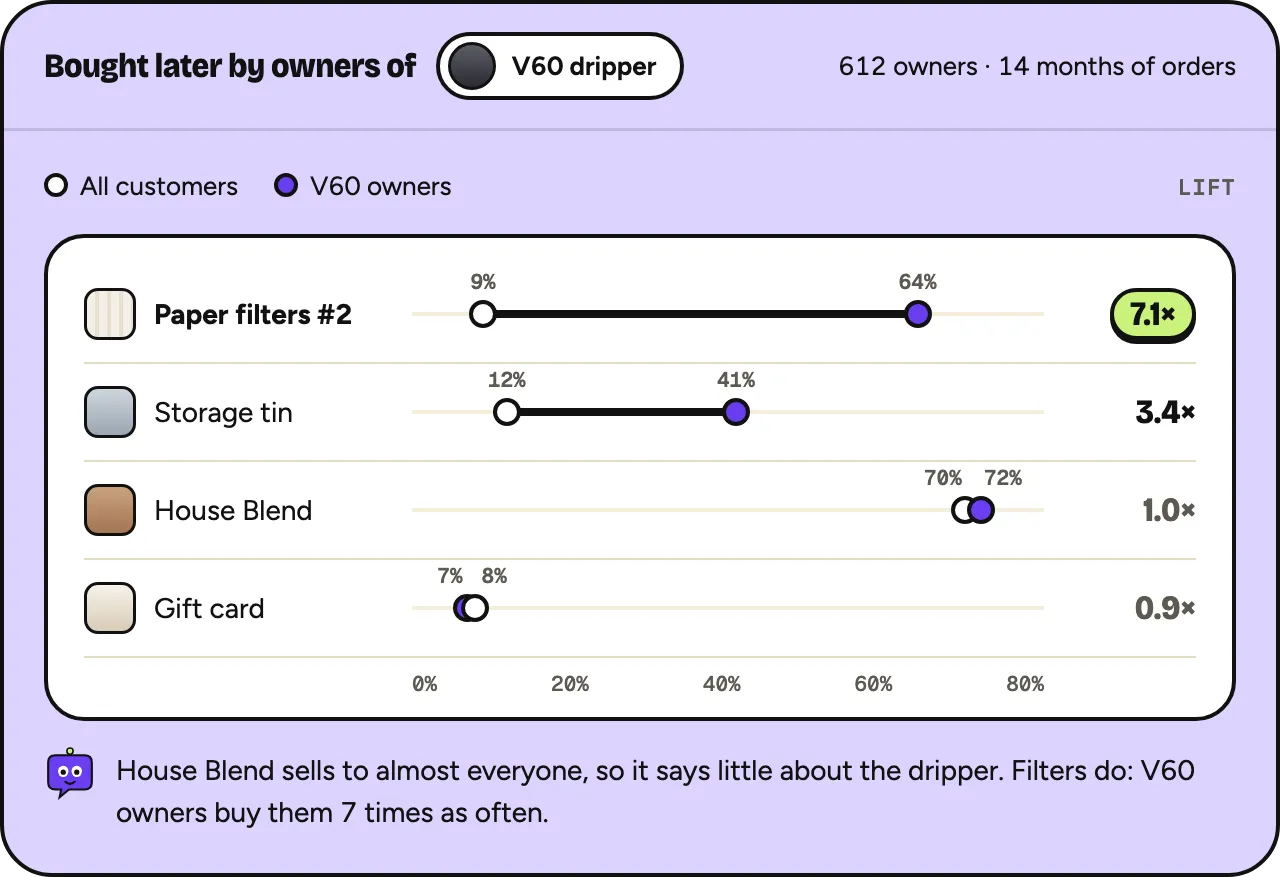
Learn what goes together
From your own orders: which products customers buy together, corrected for how popular each one is.
- Step 2 / 3
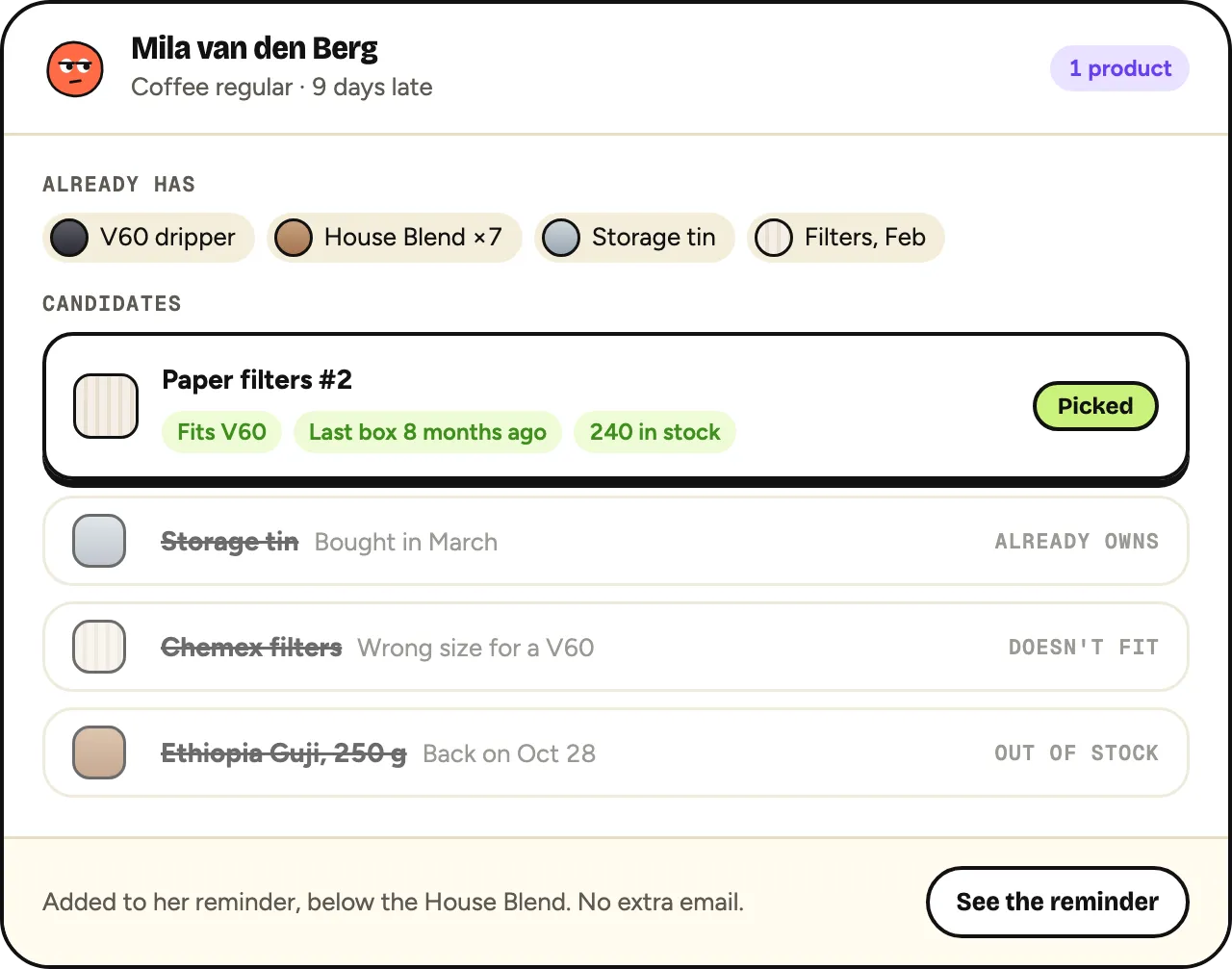
One product per customer
Something that fits what they own, isn’t already in their cupboard and is in stock.
- Step 3 / 3
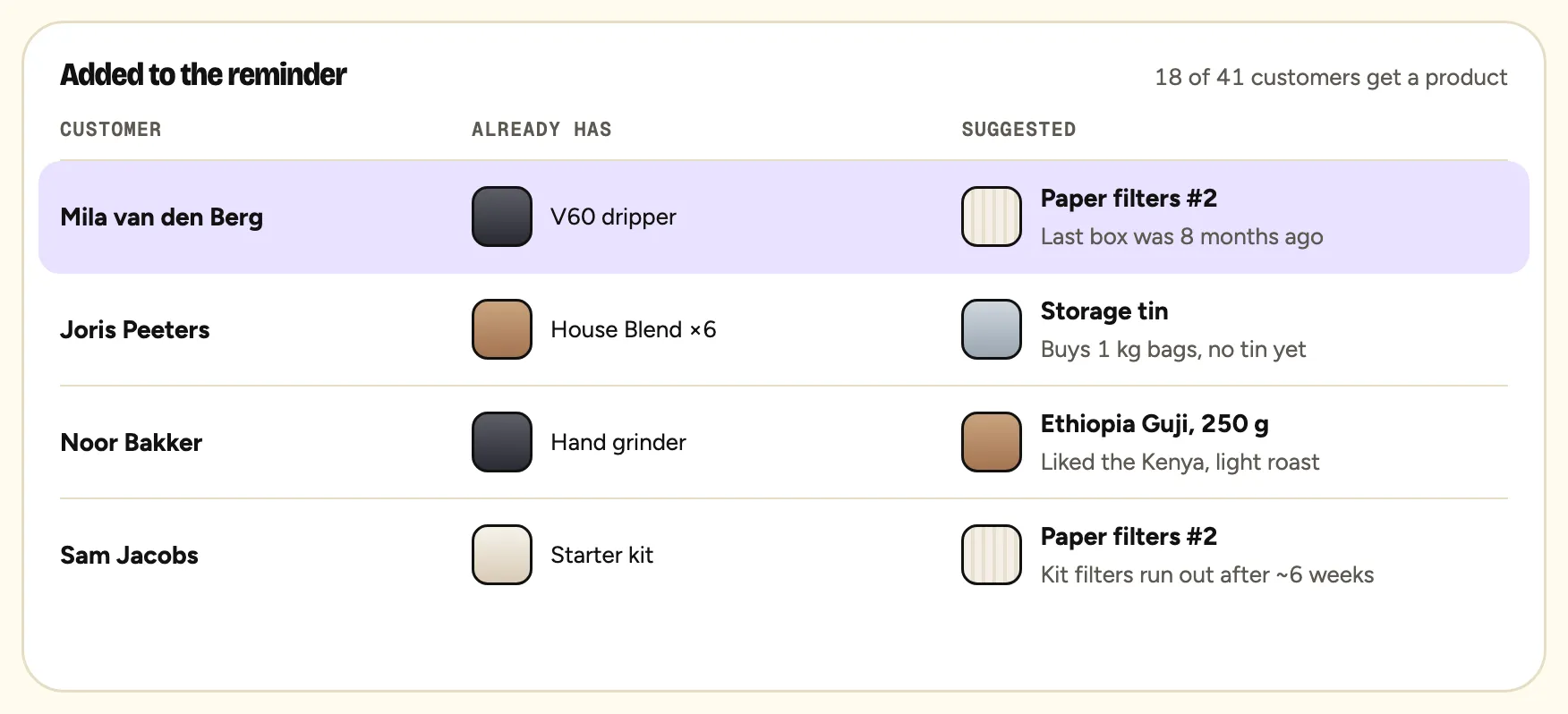
In the message you already send
Added to a reminder or welcome, not as an extra email.
Planned module
Want product recommendations in your store?
Join the waitlist and tell us which modules you need first. Founding stores help decide the order.
- Works with Shopify Messaging, Klaviyo or Brevo
- Never priced per contact
- Export all your data, anytime
Planned: 30% off for the first 100 stores. One email when your invite is ready, no newsletter.
A closer look
A closer look
Liftinstead of “most popular”
Based on what people buy together
Oftenflow counts which products the same customers buy, then corrects for how common each product is. A bestseller only gets suggested when it really goes with what someone bought.
1product per message
One suggestion, in context
One product, added to a message that was going out anyway: a reminder, a welcome or a thank-you. No extra email just to push products.
0suggestions from too little data
Silent when unsure
If too few customers bought two products together, there is no suggestion at all. Guessing would only add noise.
Product recommendations
Bestsellers only when they fit
Popular products only win when they really go with what the customer bought.
Never what they have
Products the customer already bought are left out.
Stock-aware
Sold-out products and excluded collections are skipped.
Explained
“22 of 30 grinder buyers also bought filters” instead of a black box.
Example
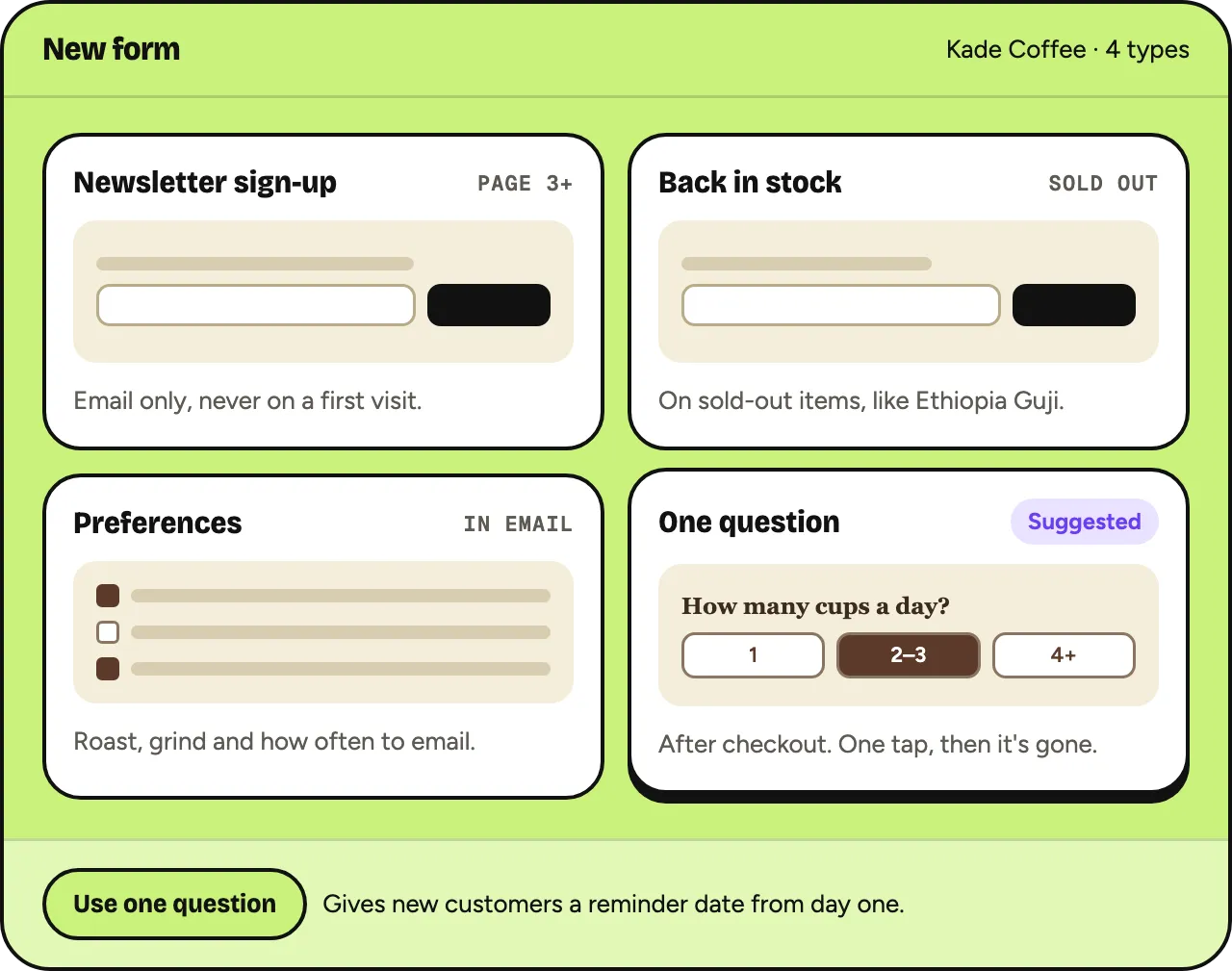
Reminder for 18 House Blend regulars: add paper filters, bought by most customers who own the same dripper.
In practice
Filters for grinder owners
- Learn
Of 30 customers who bought the grinder, 22 also bought filters.
- Check
8 grinder owners never bought filters and are due for coffee.
- Add
Their reminder gets one line: “Running low on filters too?”
- You
You approve the reminder as usual.
- Learn
Results feed back into what gets suggested next time.
Planned flow; numbers are illustrative.
Without Oftenflow / With Oftenflow
Without OftenflowWith Oftenflow
Bestsellers recommended to everyoneA product that fits what the customer bought
Suggesting what they already ownPreviously bought products left out
A separate recommendation toolInside the messages you already send
No idea why something was suggestedThe reason in plain words
What you decide
- Products and collections that are never suggested
- Whether suggestions are on per kind of message
- Only in-stock products
- Turning the module off completely
Questions
Questions
Is this available now?
No. It’s a planned module. The calculation behind it is being built as part of the decision engine.
Does it work for small stores?
It needs a minimum of shared purchases to be reliable. With too little data, it simply doesn’t suggest anything.
Does it use AI models?
The core is plain statistics on your own orders. Product descriptions may later help with new products without sales history.
Will it show recommendations on my website?
Not at first. The first plan is recommendations inside messages.
Can I pick the products myself?
Yes. You can always replace or remove a suggestion before approving.
Where it matters
Related guides
This is a planned module. Oftenflow is an experiment in development: whether, when and how this module ships can still change. Nothing on this page is a promise or guarantee, and no rights can be derived from it.
Waitlist · in development
Get an invite when we open the doors.
Planned: 30% off for the first 100 stores. One email when your invite is ready, no newsletter.
- Plans from €29 a month, never per contact
- Works with the email tool you already use
- No card, no commitment